
Showing posts with label Apple. Show all posts
Showing posts with label Apple. Show all posts
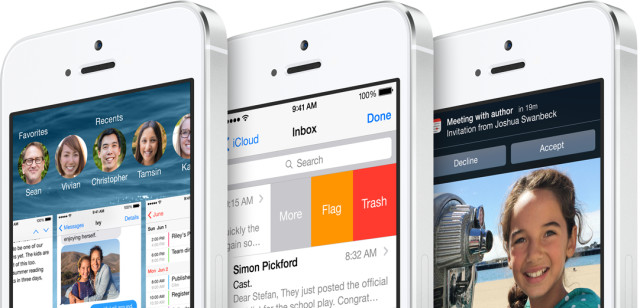
iOS 8.0 to include free FaceTime audio conference calling - Gadget Reviews
OS X 10.9.3 Update FREE Download

iOS 7.0.4 is now available for iPhone 5s, 5c, 5, 4s, 4, iPad, iPod touch : Download Now
 Apple has just released iOS 7. 0.4, an update for all devices running
iOS 7. The new software version is now available to all users with an
iPhone 5s, iPhone 5c, iPhone 5, iPhone 4S, iPhone 4, iPad Air, iPad,
iPad 2, iPad mini or fifth-generation iPod touch. Earlier, Apple had
released iOS 7.0.3 update including many bug fixes.
Apple has just released iOS 7. 0.4, an update for all devices running
iOS 7. The new software version is now available to all users with an
iPhone 5s, iPhone 5c, iPhone 5, iPhone 4S, iPhone 4, iPad Air, iPad,
iPad 2, iPad mini or fifth-generation iPod touch. Earlier, Apple had
released iOS 7.0.3 update including many bug fixes.Users had found one another bug after iOS 7.0.3 update.So finally Apple has released iOS 7.0.4 update with bug fixes including a fix for a FaceTime issue that impacted all devices.
No comments:

 Labels:
Apple,
Downloads,
iOS,
iOS 7.0.4 is now available for iPhone,
iPad,
iPhone,
iPhone 5S,
iPhone 6,
iPod
Labels:
Apple,
Downloads,
iOS,
iOS 7.0.4 is now available for iPhone,
iPad,
iPhone,
iPhone 5S,
iPhone 6,
iPod
Labels:
Apple,
Downloads,
iOS,
iOS 7.0.4 is now available for iPhone,
iPad,
iPhone,
iPhone 5S,
iPhone 6,
iPod
Top 10 Tech / IT Companies In The World
If you’re in search for the list of the Top 10 IT companies of the world then today Tech-Attacks are here with a short list of the top 10 companies in the Tech / IT Industry for the year 2013. Without wasting much time, lets quickly jump into the list of top 10 companies in the Tech / IT industry.
For more related stuff simply Like Tech-Attacks on Facebook or Follow us on our Blog .
For more related stuff simply Like Tech-Attacks on Facebook or Follow us on our Blog .
No comments:
Labels:
Apple,
Articles,
CISCO,
Google,
HP,
IBM,
knowledge base Posts,
Microsoft,
Oracle,
Samsung,
SAP,
Tencent,
Top 10 Tech / IT Companies In The World,
Windows
Labels:
Apple,
Articles,
CISCO,
Google,
HP,
IBM,
knowledge base Posts,
Microsoft,
Oracle,
Samsung,
SAP,
Tencent,
Top 10 Tech / IT Companies In The World,
Windows
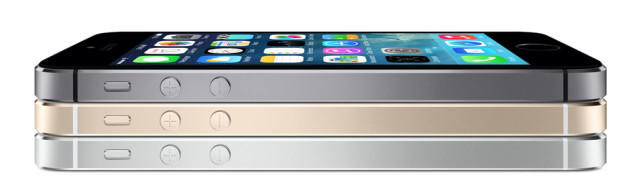
Apple announces iPhone 5S - Gadget Reviews
Before reading further article Please take a second to Bookmark TechAttacks for your later use or For more Updates Follow us on our BLOG or get tuned by simply Liking Tech-Attacks on Facebook.
Apple MAC theme for Windows 7 & Windows 8 (FREE - Download)
Apple Mac is the most popular OS and world's most featured operating
system. Mac OS X gives more graphic feature & Mac theme is better
than windows 7. In order to change your theme to Mac theme follow below
steps.

Before reading further article Please take a second to Bookmark TechAttacks for your later use or For more Updates Follow us on our BLOG or get tuned by simply Liking Tech-Attacks on Facebook.
Before reading further article Please take a second to Bookmark TechAttacks for your later use or For more Updates Follow us on our BLOG or get tuned by simply Liking Tech-Attacks on Facebook.
How to Easily install & Dual-Boot Windows 8 on Apple Mac - Tutorial
 Installing and dual-booting Windows 8 on Mac OS X mountain Lion are
really easy now. Thanks to Apple’s latest update to the OS X mountain
lion. Apple has released Boot Camp 5 in the latest OS X Mountain Lion
v10.8.3 which now supports installing Windows 8 on your Macs. Using
Boot Camp 5, Mac users can now easily switch between OS X and Windows
8.
Installing and dual-booting Windows 8 on Mac OS X mountain Lion are
really easy now. Thanks to Apple’s latest update to the OS X mountain
lion. Apple has released Boot Camp 5 in the latest OS X Mountain Lion
v10.8.3 which now supports installing Windows 8 on your Macs. Using
Boot Camp 5, Mac users can now easily switch between OS X and Windows
8.Also Chek -> Install Windows8 / Windows7 or Linux Using USB Drive.
How to Install Android on iPhone - Complete Step by Step Guide
Are you bored with Apple iOS firmware? Would you like to get Android
on iPhone! Wouldn’t it be fun to be unlike other iOS users and use a
different operating system?
If you don’t update your iPhone to iOS 6.1.3 Apple software you can jailbreak your device using Evasi0n or Sn0wbreeze for Windows users.
It’s very easy to do. A few simple steps, and your Android on iPhone install process is complete with you getting the new features and unusual options. Here is how to install Android on iOS guide that will help you to achieve your goal.
Also Check -> Android vs iOS.
For more related stuff simply Like Tech-Attacks on Facebook or Follow us on our Blog .
If you don’t update your iPhone to iOS 6.1.3 Apple software you can jailbreak your device using Evasi0n or Sn0wbreeze for Windows users.
It’s very easy to do. A few simple steps, and your Android on iPhone install process is complete with you getting the new features and unusual options. Here is how to install Android on iOS guide that will help you to achieve your goal.
Also Check -> Android vs iOS.
For more related stuff simply Like Tech-Attacks on Facebook or Follow us on our Blog .
Download Apple iOS 6.0.1 Firmware Updates
Note: Do not forget to backup your Data and Contacts before updating the firmware.
No comments:
Labels:
Apple,
Downloads,
iOS,
iOS 6.0.1,
iOS Devices,
iPad,
iPhone,
Operating System,
s,
Smart Phones,
Software,
Tablets,
Updates
Labels:
Apple,
Downloads,
iOS,
iOS 6.0.1,
iOS Devices,
iPad,
iPhone,
Operating System,
s,
Smart Phones,
Software,
Tablets,
Updates
Google Nexus vs Microsoft Surface vs Apple iPad
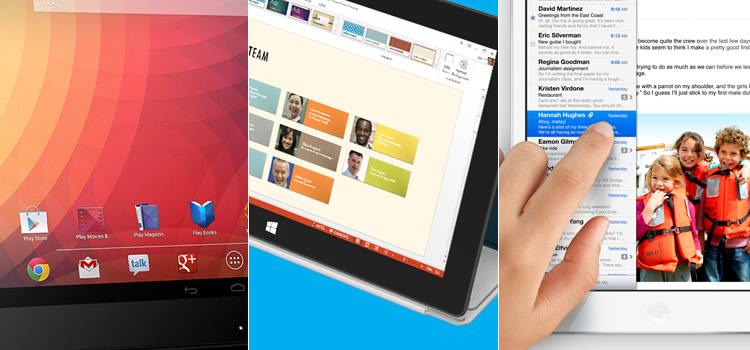 The tablet market doesn’t look very different than it did a year ago
from the perspective of who’s doing well and who’s not. And yet quite a
bit has changed in the last twelve months. Apple is still the
undisputed leader with an astounding 58 million iPads sold in 2012, but
in that timeframe we’ve also seen a handful of smartphone and computer
makers who dipped their toes in the market take a step to the side and
reconsider their strategy.
The tablet market doesn’t look very different than it did a year ago
from the perspective of who’s doing well and who’s not. And yet quite a
bit has changed in the last twelve months. Apple is still the
undisputed leader with an astounding 58 million iPads sold in 2012, but
in that timeframe we’ve also seen a handful of smartphone and computer
makers who dipped their toes in the market take a step to the side and
reconsider their strategy.Android vs iOS
 Hello readers, Today Tech-Attacks is going to present and discuss the various issue that user
going to think about selecting Mobile and operating system before buying
a mobile.Today the major share of mobile market are captured by iOS (of
Apple ) and Android (of Google ) where small amount is shared by Windows
Phone (Of Microsoft ). This article is mainly focused on Android vs iOS that who is preferred by user and various reason for their preferences for the same.
Hello readers, Today Tech-Attacks is going to present and discuss the various issue that user
going to think about selecting Mobile and operating system before buying
a mobile.Today the major share of mobile market are captured by iOS (of
Apple ) and Android (of Google ) where small amount is shared by Windows
Phone (Of Microsoft ). This article is mainly focused on Android vs iOS that who is preferred by user and various reason for their preferences for the same.
No comments:
Labels:
Android,
Android vs iOS,
Apple,
Google,
iOS,
iOS Devices,
Microsoft,
Smart Phones,
Windows,
Windows Phone
Labels:
Android,
Android vs iOS,
Apple,
Google,
iOS,
iOS Devices,
Microsoft,
Smart Phones,
Windows,
Windows Phone
All in Software / DVD Video Soft (FULL) - FREE Download
 Sometimes we
are using many software to do a single work, because we cannot do all
the work with one software but today Tech-Attacks is going to give you a different
software.
Sometimes we
are using many software to do a single work, because we cannot do all
the work with one software but today Tech-Attacks is going to give you a different
software.Namely DVD Video Soft, by using this software you can do 47 various works.
Here, some features of DVD Video Soft.
you can convert Audio, Video files in various formats. you can Burn & Rip the DVDs. you can Download videos from YouTube . Video editing feature Screen record feature Apple / iOS device Synchronizing ( iPod, iPhone , iPad ,etc.).
Transfer iPhone Messages to PC without Trouble
 Is your iPhone not receiving new messages as your inbox is full? Are you looking for an easy solution to transfer iPhone messages to PC
or computer? If yes, then you are in the right place. We would like to
introduce you to the iPhone messages transfer tool which will allow you
to transfer iPhone messages to PC in just a few easy steps. This tool
will enable you to transfer specific messages (SMS), all SMS of a
specific contact, or all messages on your iPhone to PC in just few
seconds.
Is your iPhone not receiving new messages as your inbox is full? Are you looking for an easy solution to transfer iPhone messages to PC
or computer? If yes, then you are in the right place. We would like to
introduce you to the iPhone messages transfer tool which will allow you
to transfer iPhone messages to PC in just a few easy steps. This tool
will enable you to transfer specific messages (SMS), all SMS of a
specific contact, or all messages on your iPhone to PC in just few
seconds. 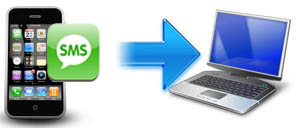
All thanks to this tool, you can now easily transfer iPhone messages to PC in Txt file format and access them any time. This iPhone SMS transfer utility can also sync your iPhone library to iTunes directly. It is an easy to use utility and you don't have to be a computer expert to use this tool to transfer iPhone SMS/Messages to PC.
Apple launches iTunes 11 - FREE Download
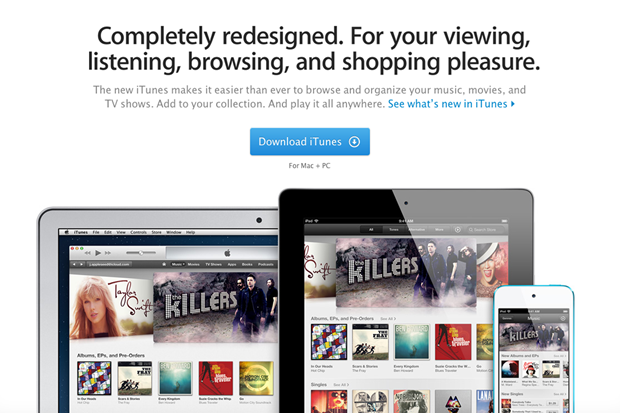
So long, iTunes
10. Apple has begun rolling out the 11th iteration of its iTunes media
player and store, and we're digging the redesigned interface, improved
search, ability to play content straight from iCloud and sync playback
across devices.
For more related stuff simply Like Tech-Attacks on Facebook or Follow us on our Blog .
10 Reasons Why You Should Jailbreak
Jailbreaking your Apple device frees it from a closed and locked
environment. By ripping off the barriers, you can customize your device
and run software not authorized by Apple. Jailbreaking remains a legal
and popular option for iPhone , iPad , and iPod Touch devices.
Remember that jailbreaking is available for all Apple devices that run iOS . Although the majority of people focus on jailbreaking their iPhones, there are very legitimate reasons for cracking the iPod Touch and iPad families as well. Most of these tweak are available through Cydia which is the unofficial app store alternative available only to jailbroken devices.
10 Reasons to Jailbreaking
Remember that jailbreaking is available for all Apple devices that run iOS . Although the majority of people focus on jailbreaking their iPhones, there are very legitimate reasons for cracking the iPod Touch and iPad families as well. Most of these tweak are available through Cydia which is the unofficial app store alternative available only to jailbroken devices.
10 Reasons to Jailbreaking
How to Jailbreak Your iPhone & Install Cydia - For FREE ( Tutorial )
After a heavy demand for writing an article on Jail Breaking an iOS, So Tech-Attacks is here again for Just its followers & Likers with a Complete - step by step Article on Jail Breaking of an iOS .
So, you’ve heard about jail breaking, and it sounds intriguing. And dangerous. (But mostly just intriguing.) Here’s how to hack your iPhone, iPod Touch or iPad - yes, iPad - into an unrestricted, freshly empowered mega-machine.
Jail Breaking : The What and the Why
In buying an iProduct, you’re accepting that its fate will be dictated by Apple. They control what kind of apps you install on your device, which of the hardware functions you can exploit to their full potential, and which carrier you can use your iPhone with. They’ve loosened up on at least one of those fronts in the last year or so, expanding the types of apps available in the App Store, but many screw that, most of the same restrictions still apply. Want to install an app that Apple hasn’t explicitly approved? Sorry Want to use an app over 3G that’s been designated for Wi-Fi? Nope. Want to tether your phone? Run applications in the background? Change your device theme? Install system-wide gestures? No. Such. Luck.
Enter jailbreaking. In technical terms, to jailbreak is to enable a device to run code, meaning programs or system modifications, that hasn’t been sanctioned by Apple. Its roots reach back to a time when there were no apps for iPhone OS, and a clever group of hackers zeroed in on some exploits gave people their first way to install apps on their devices, by way of an underground App Store called Installer. It used to be that you could hack your device simply by visiting a webpage. That was two years ago. Since then, the iPhone and iPod Touch have been given a legit App Store, Apple has closed one security hole after another, and jailbreaking has become alternately more and less difficult, depending which device and software version you have.
Supported Devices & Firmwares
All firmwares (upto iOS 5)
iPod touch 3G
iPod touch 4G
iPad 1
iPhone3GS
iPhone4 (GSM)
iPhone4 (CDMA)
Now, lets get started.
Dont Forget to Follow us on our Blog or Like Tech-Attacks on Facebook for more updates.
All the other information including step by step Jail Breaking procedure and FREE download links for tool / software used for it is described below.
So, you’ve heard about jail breaking, and it sounds intriguing. And dangerous. (But mostly just intriguing.) Here’s how to hack your iPhone, iPod Touch or iPad - yes, iPad - into an unrestricted, freshly empowered mega-machine.
Jail Breaking : The What and the Why
In buying an iProduct, you’re accepting that its fate will be dictated by Apple. They control what kind of apps you install on your device, which of the hardware functions you can exploit to their full potential, and which carrier you can use your iPhone with. They’ve loosened up on at least one of those fronts in the last year or so, expanding the types of apps available in the App Store, but many screw that, most of the same restrictions still apply. Want to install an app that Apple hasn’t explicitly approved? Sorry Want to use an app over 3G that’s been designated for Wi-Fi? Nope. Want to tether your phone? Run applications in the background? Change your device theme? Install system-wide gestures? No. Such. Luck.
Enter jailbreaking. In technical terms, to jailbreak is to enable a device to run code, meaning programs or system modifications, that hasn’t been sanctioned by Apple. Its roots reach back to a time when there were no apps for iPhone OS, and a clever group of hackers zeroed in on some exploits gave people their first way to install apps on their devices, by way of an underground App Store called Installer. It used to be that you could hack your device simply by visiting a webpage. That was two years ago. Since then, the iPhone and iPod Touch have been given a legit App Store, Apple has closed one security hole after another, and jailbreaking has become alternately more and less difficult, depending which device and software version you have.
Supported Devices & Firmwares
All firmwares (upto iOS 5)
iPod touch 3G
iPod touch 4G
iPad 1
iPhone3GS
iPhone4 (GSM)
iPhone4 (CDMA)
Now, lets get started.
Dont Forget to Follow us on our Blog or Like Tech-Attacks on Facebook for more updates.
All the other information including step by step Jail Breaking procedure and FREE download links for tool / software used for it is described below.
No comments:
Labels:
Apple,
Best tips,
iOS,
iOS Devices,
iPad,
iPhone,
iPod,
Jailbreak,
Suggestions,
Tutorials
Labels:
Apple,
Best tips,
iOS,
iOS Devices,
iPad,
iPhone,
iPod,
Jailbreak,
Suggestions,
Tutorials
Subscribe to:
Posts (Atom)
